
Let me tell you about Microsoft Power Apps. It’s a platform that lets businesses create custom applications without needing to be coding experts. Sounds simple, right? But the impact is anything but simple.
I’ve seen organizations transform how they work using Power Apps. They build apps that solve specific problems. They automate processes that used to eat up hours. They give people tools that actually fit how they work.
Let me break down what Power Apps is, what you can do with it, and why it matters.
Microsoft Power Apps is a suite of apps, services, connectors, and a data platform that provides a rapid application development environment. That’s a mouthful, so let me translate: It’s a way to build custom apps tailored to your business needs without extensive coding knowledge.
Think of it like this: Instead of hiring developers to build an app from scratch (which takes months and costs a lot), you can use Power Apps to build it yourself in days or weeks. It’s designed for both technical and non-technical users.
The platform includes:
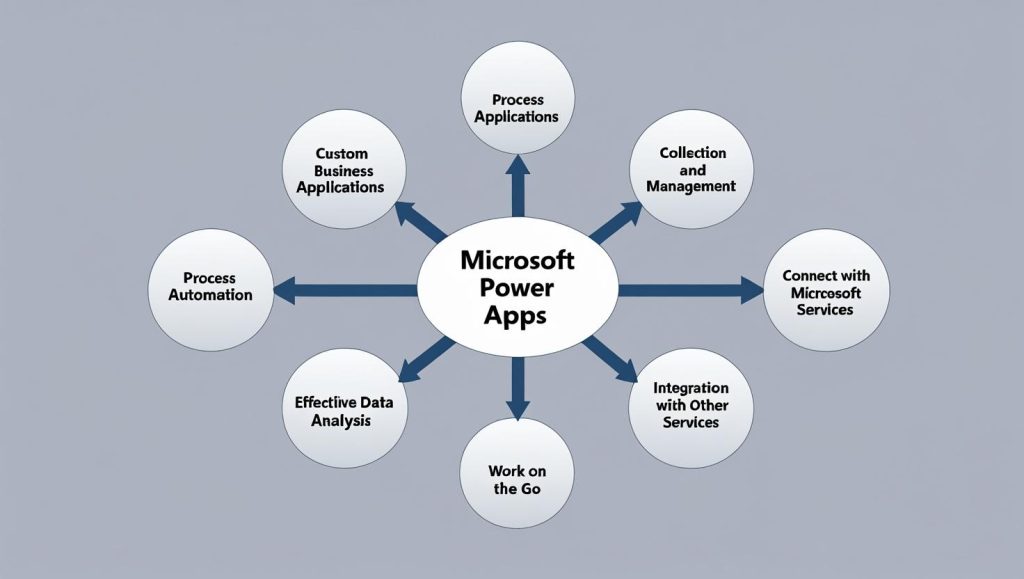
When organizations adopt Power Apps, they typically see three big changes:
Let me explain some of the key features in plain English:
AI Builder integrates AI capabilities into your apps. You can add things like document processing, object detection, or prediction models without being an AI expert. It’s like having AI features you can plug into your apps.
Power Fx is the low-code programming language Power Apps uses. It’s designed to be readable and learnable. If you’ve used Excel formulas, Power Fx will feel familiar. It’s strongly typed, which means it helps catch errors before they become problems.
Dataverse is Microsoft’s data service for building enterprise-grade apps. Think of it as a secure, scalable database that’s built into the Power Platform. Your data lives there, and your apps can access it. It handles things like security, relationships between data, and business logic automatically.
Power Apps supports different approaches to app building:
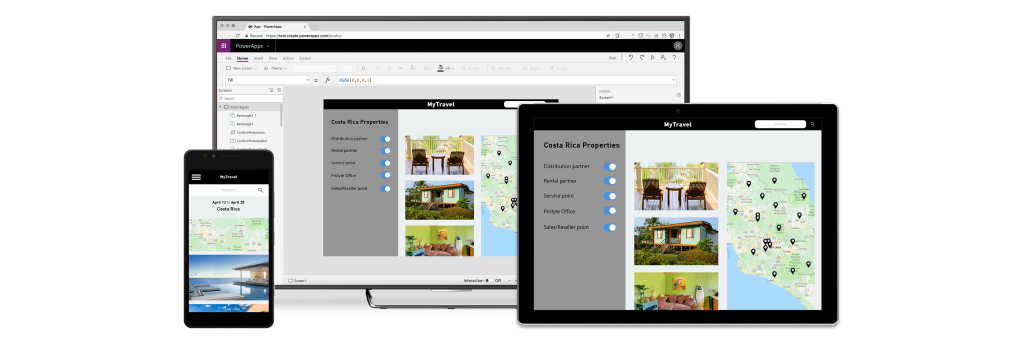
Canvas Apps are highly customizable apps built with a drag-and-drop interface. You start with a blank canvas and add components where you want them. It’s like designing a website, but for a mobile or desktop app. You have complete control over the layout and design.
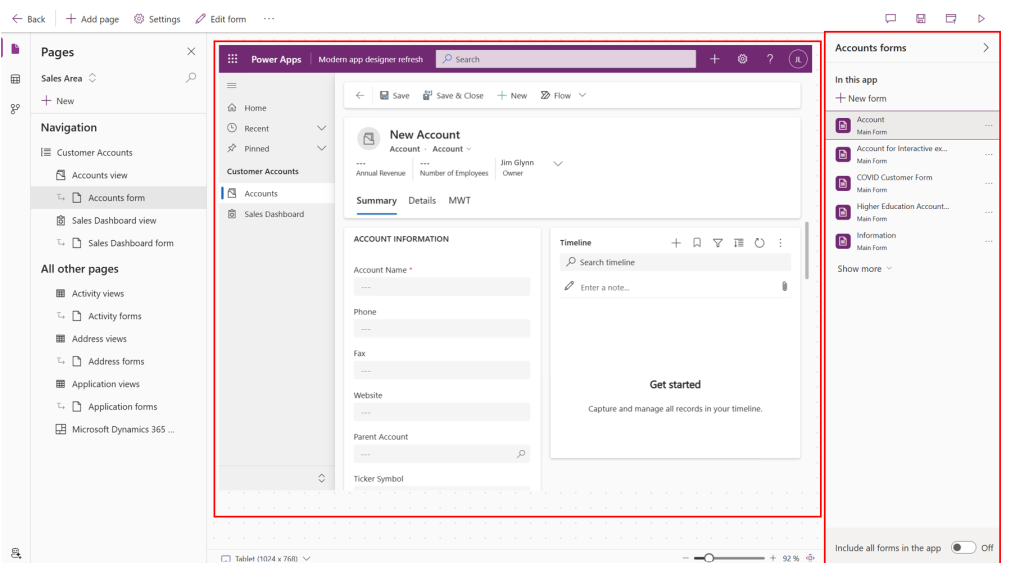
Model-Driven Apps are built based on your data model. You define your data structure first, and the app generates automatically. It’s less about design and more about functionality. These apps are great for complex business processes where the data relationships matter more than the visual design.
AI Copilot helps you build apps through conversation. You describe what you want, and AI helps generate the app structure and components. It’s like having a development assistant that understands natural language.
Custom Connectors extend app functionality by creating connections to systems that don’t have built-in connectors. If you have a legacy system or a third-party service, you can build a connector that lets Power Apps talk to it.
Integration with Teams lets you embed apps directly into Microsoft Teams for seamless collaboration. Your apps become part of how teams work together, not separate tools people have to remember to use.
Power Platform Admin Center gives you centralized control to manage apps, users, and environments. You can see what apps exist, who’s using them, and how they’re performing. It’s your command center for Power Platform.
Security Best Practices are built into the platform, but you still need to implement them correctly. This means setting up proper permissions, managing data access, and ensuring compliance with your organizational policies.
If you’re thinking about using Power Apps, here’s what I’d suggest:
Start with a specific problem. Don’t try to build everything at once. Pick one process or one use case that’s causing pain. Build an app for that.
Learn the basics. Microsoft provides extensive documentation and training. You don’t need to become an expert overnight, but understanding the fundamentals will help you build better apps.
Think about your data. Where does it live? How does it connect? Power Apps works best when your data is organized and accessible.
Consider governance. Even if you’re starting small, think about how apps will be managed as you scale. Who approves new apps? How do you ensure security? What happens when someone leaves?
Microsoft Power Apps is a powerful platform that makes custom app development accessible to more people. It’s not about replacing professional developers. It’s about empowering more people to solve problems with technology.
When organizations embrace Power Apps, they see productivity gains, better decision-making, and accelerated innovation. But the real value comes from solving real problems with tools that fit how people actually work.
The question isn’t whether Power Apps is powerful enough. It is. The question is: What problem do you want to solve first?